
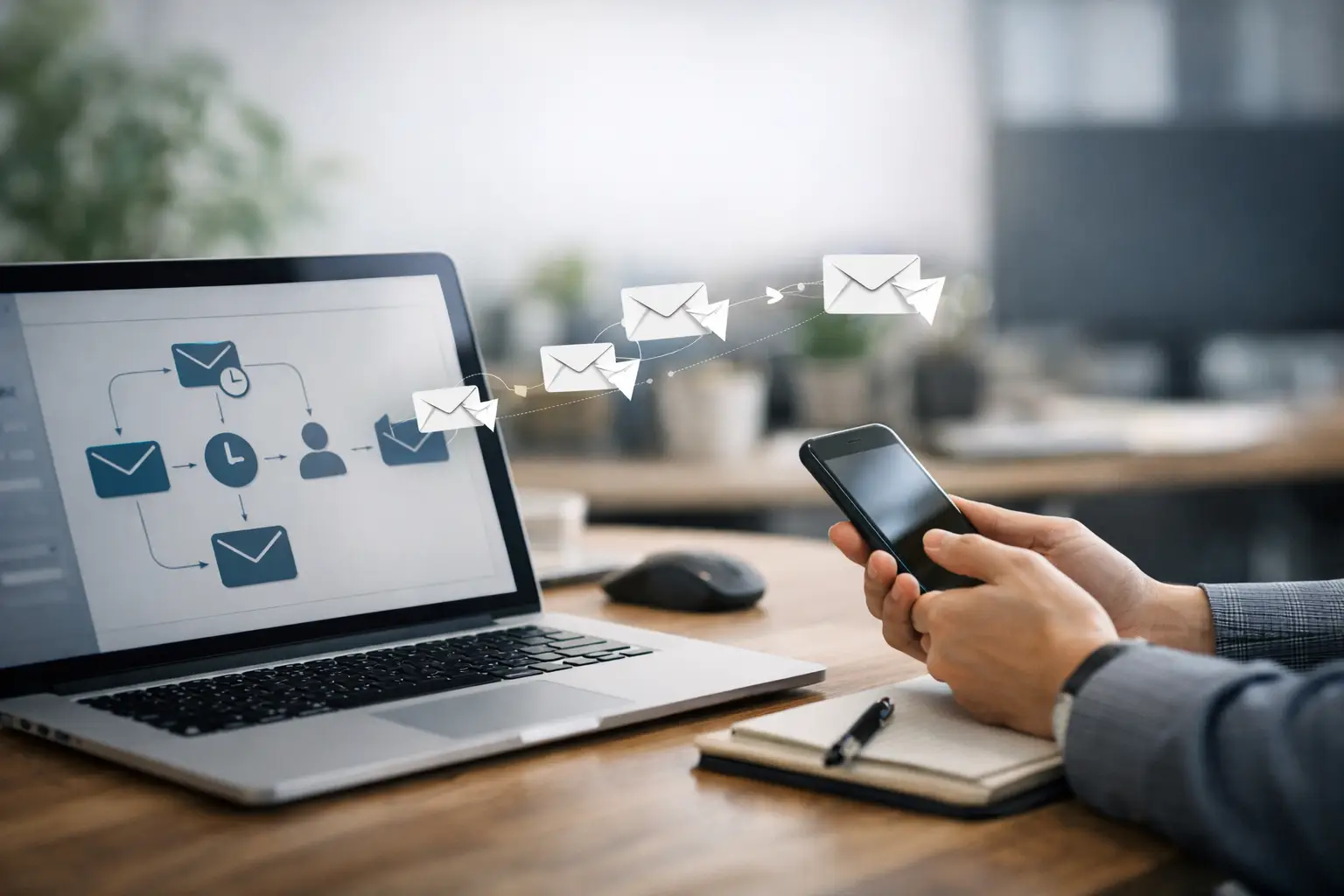
Most client follow-up breaks down for a boring reason: nobody forgets on purpose, but everyone gets busy. A lead comes in, you mean to reply later, and later turns into next week. If you want to know how to automate client followup without sounding cold or robotic, the goal is simple – build a system that responds fast, stays consistent, and still feels personal.
For small business owners, freelancers, consultants, and lean teams, this is one of the highest-leverage systems you can build. Good follow-up protects revenue you already worked to generate. It also reduces the mental load of trying to remember who needs a reply, when to send it, and what to say.
What automate client followup actually means
Automation does not mean handing every conversation to a bot and disappearing. It means creating a repeatable process for the predictable parts of communication. That usually includes instant acknowledgments, reminder emails, check-ins, proposal nudges, onboarding messages, and re-engagement sequences.
The key distinction is this: automation should handle timing and structure, while you handle judgment. If a prospect asks a detailed question or shares a unique situation, that still deserves a real response. But if someone downloads a guide, fills out a contact form, books a call, or goes quiet after receiving a proposal, those moments can be supported by automation.
That balance matters. Too little automation creates delays and missed opportunities. Too much automation creates generic noise that people ignore.
Start with the follow-up stages you already have
Before choosing tools, map your actual client journey. Most businesses do better with a simple sequence than with a complicated workflow they never maintain.
A basic follow-up path often looks like this: a new lead comes in, they receive a confirmation, they get a reminder or a value-based follow-up, they may receive a proposal or next-step offer, and then they either convert, pause, or disappear. Each of those stages needs a clear message and a trigger.
If you skip this step, you end up automating random tasks instead of building a useful system. The right question is not, “What can I automate?” It is, “Where does follow-up currently stall?”
For some businesses, the biggest gap is speed to lead. For others, it is proposal follow-up. For service providers, it is often onboarding and appointment reminders. Start where delay is costing you money.
How to automate client followup without losing the human side
The easiest way to make automation feel better is to write like a person and send messages at the right moments. Most weak follow-up systems fail because they are too generic, too frequent, or disconnected from what the client just did.
If someone books a discovery call, they do not need a broad welcome sequence. They need confirmation, expectations, and a reminder. If someone requests pricing, they need clarity and a next step, not a motivational newsletter.
This is where segmentation matters. Even a basic setup should separate leads by action, interest, or stage. New inquiry, booked call, proposal sent, inactive lead, and active client are enough for most small businesses. You do not need enterprise-level complexity. You need clean categories that help you send relevant messages.
Personalization also goes further than using a first name field. Reference the service they asked about. Mention the next step. Confirm timing. Give them one clear action to take. Good automation reduces friction. It does not just fill the inbox.
Build the system in this order
If you are setting this up from scratch, keep the build simple.
First, create an instant response for every lead source you care about. This could be a website form, scheduler, email inquiry, or lead magnet opt-in. The message should confirm receipt, set expectations, and tell them what happens next. That one step alone improves trust because silence creates doubt.
Second, create a short follow-up sequence for leads who do not respond. A practical version might include one same-day confirmation, one follow-up after two days, another after five to seven days, and a final check-in later. The point is consistency, not pressure.
Third, automate milestone messages. These include appointment reminders, proposal follow-ups, onboarding emails, payment confirmations, and post-project check-ins. These are easy to automate because the trigger is clear.
Fourth, add a re-engagement sequence for colder leads or former clients. This can be as simple as a check-in message, a useful resource, or an offer to revisit the conversation. Many businesses spend too much time chasing brand-new leads while ignoring warm contacts who already know them.
The tools are less important than the logic
You can build this with a CRM, an email platform, a form tool, a calendar app, or an automation platform that connects them. The exact stack depends on your business size and budget.
What matters more is the workflow logic. A lead submits a form. That triggers a confirmation. If they book a call, they move to a different sequence. If they receive a proposal but do not reply, a reminder goes out. If they become a client, sales follow-up stops and onboarding begins.
That sounds obvious, but many small businesses run into trouble because their tools are not connected or their tags are inconsistent. One person gets three overlapping sequences while another gets nothing. Before adding complexity, make sure your statuses, triggers, and stop conditions are clear.
A simple rule helps here: every automation should have a purpose, a trigger, and an exit. If you cannot define those three things, it is probably not ready.
What to write in automated follow-up messages
Strong follow-up copy is short, specific, and easy to act on. It should sound like the best version of your normal communication, not a corporate template.
For new inquiries, focus on reassurance and timing. Let them know you received their message and when they can expect a reply. For booked calls, focus on preparation and attendance. For proposal follow-ups, focus on decision support. Ask if they have questions, remind them of the outcome, and make the next step obvious.
What you should avoid is fake friendliness, long explanations, and hard-sell language. Most people do not need five paragraphs to decide whether to reply. They need clarity.
It also helps to vary the purpose of your follow-ups. Not every message should say, “Just checking in.” One message can answer common questions. Another can restate the outcome. Another can offer a simple deadline or ask whether priorities have changed. That feels more useful and less repetitive.
Where automation usually goes wrong
The biggest mistake is automating a weak process. If your offer is unclear, your response time is slow, or your messages are vague, automation will not fix that. It will just scale the confusion.
Another common mistake is over-automating too early. A solo consultant with ten leads a week does not need a massive branching system. They need a clean intake process, timely follow-up, and reminders that reduce admin work. Build the smallest system that solves the real problem.
Timing is another trade-off. Follow up too little and you lose opportunities. Follow up too aggressively and you train people to ignore you. For most service businesses, fewer better messages outperform long generic sequences.
You also need to watch for tone mismatch. A high-trust service business usually needs warmer, more direct communication than an ecommerce brand. If your work involves custom projects, strategy, or close client relationships, your automation should support that positioning.
Measure what matters
If you want this system to improve, track a few numbers consistently. Start with response time, booked calls, reply rates, proposal conversion, and no-show rate. These metrics tell you whether your automation is helping people move forward or simply sending more messages.
You should also review replies manually. Sometimes the best insight is not in the open rate. It is in what people ask, what they misunderstand, or where they hesitate. That feedback helps you tighten your message sequence and improve the client journey.
This is where practical training and implementation-focused resources can save time. Platforms like Crumble Media Group are useful because they focus on systems you can actually apply, not just ideas you nod at and forget.
A simple standard to use going forward
If you are wondering whether your system is working, use this test: does it help the client take the next step faster and with less confusion? If yes, keep it. If not, simplify it.
The best automated follow-up does not feel impressive behind the scenes. It feels clear on the receiving end. That is the standard worth building around.
Start with one path, fix one delay, and make one sequence better than it was last week. Small systems built well tend to outperform complicated systems nobody trusts.












0 Comments